If you open a chart and suddenly notice that candlesticks are missing, invisible, or seem to have disappeared, it can be frustrating – especially when you are actively analyzing the market. This is one of the most common TradingView chart problems and is often mistaken for a loading issue or platform bug. In reality, candles not showing on TradingView is usually caused by a few specific settings or visual conflicts that can be fixed within seconds.
This article explains all the major reasons why a TradingView chart is not showing candles and shows you exactly how to unhide candlesticks on TradingView step by step.
Why Candlesticks Disappear on TradingView?
The root cause is rarely a server-side issue. In most cases, the chart is working perfectly, but certain visual settings, chart types, or zoom levels make the candles invisible.
Understanding how TradingView handles chart styles, object visibility, and color settings will help you quickly diagnose and fix the problem.
Also Read – 3 Easy Methods to Hide Candlesticks in TradingView
5 Possible Reasons Why Candlesticks Are Not Showing in TradingView
When candles are not showing or visible in TradingView, the solution is usually simple once you know where to look. Most issues can be fixed directly from the chart interface in just a few seconds.
Before learning how to bring candles back on a candlestick chart, first make sure you are on the correct instrument. For example, in my case, the instrument is BTCUSD.
Below are the five most common reasons candlesticks are not showing on TradingView.
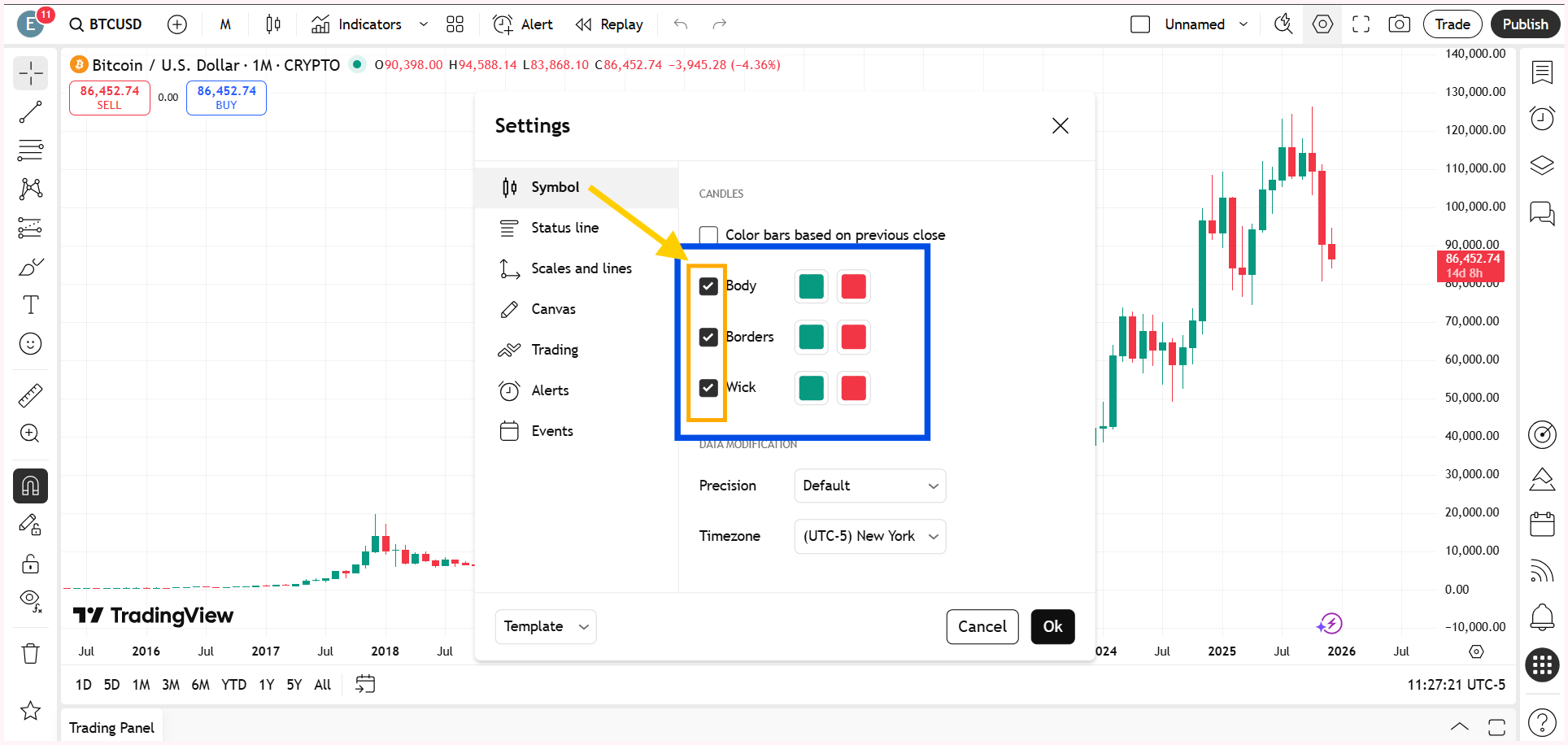
Body, Wick, or Border Accidentally Unticked in Chart Settings
One of the most overlooked reasons for candles not showing on TradingView is related to candle style settings. TradingView allows you to individually control the visibility of the candle body, wick, and border. If the body, wick, or border option is unticked, the candles technically exist on the chart but are not visible.
So, right-click on the chart and go to Settings. Within the Symbol option, make sure the body, wick, and border are ticked.
Candles Hidden from the Object Tree or Data Window
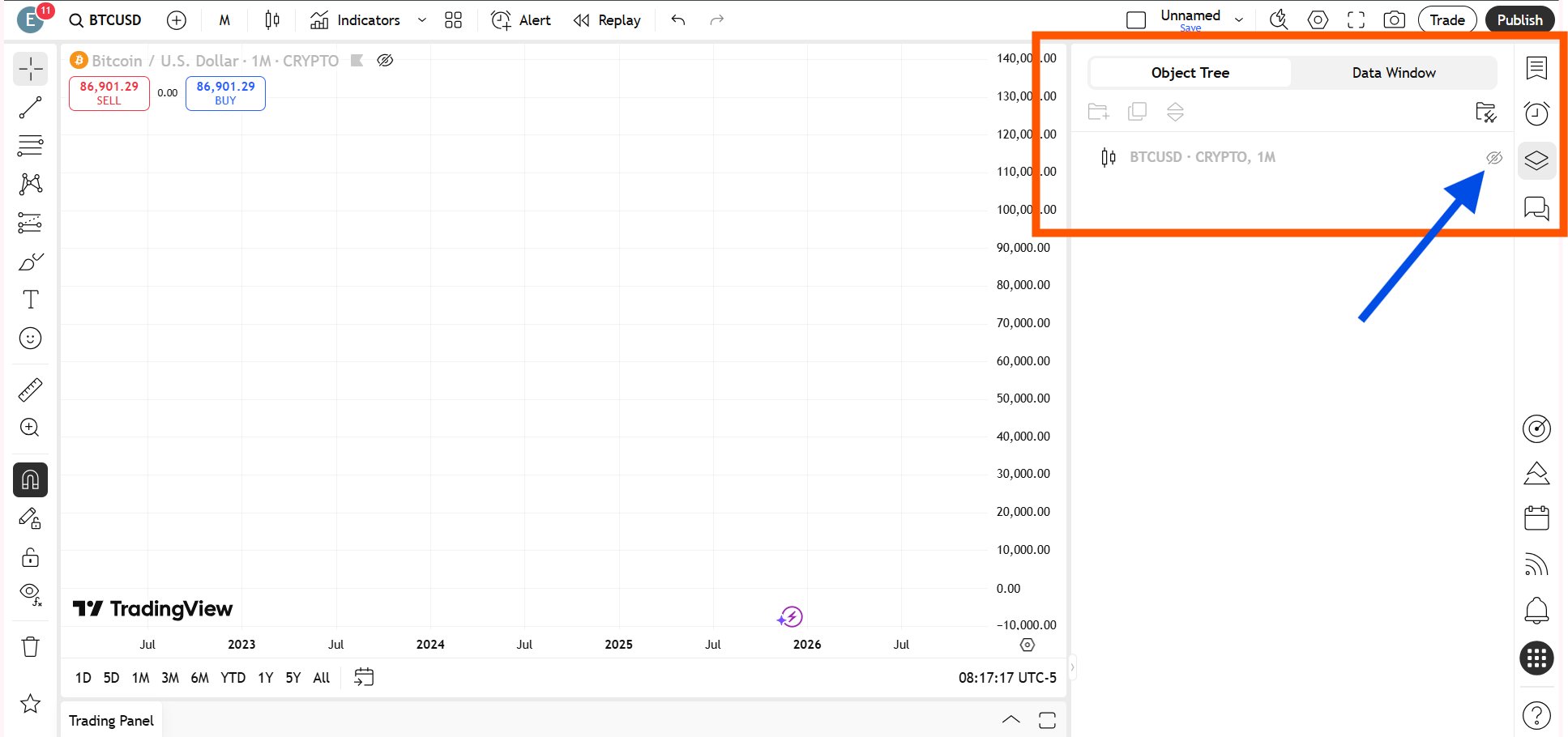
Another common TradingView chart problem occurs when candle visibility is disabled through the object tree or data window.
Just click on the Object Tree and Data Window on the right-side toolbar and check whether the eye icon is turned on or off.
Switched to a Different Chart Type by Mistake
You may have accidentally changed the chart type to something like a line chart, and that is why you are no longer seeing candlesticks.
When the chart type is switched away from candlesticks, the candles do not disappear due to an error; they are simply replaced by another visual format. Switching the chart type back to candlestick instantly brings the candles back onto the chart, restoring the standard price view used for technical analysis.
How to change a line chart to a candlesticks chart on TradingView?
Open your chart on TradingView. Look at the top-left corner of the chart toolbar and click on the Chart Type icon. This icon usually displays the currently selected chart style, such as a line chart.
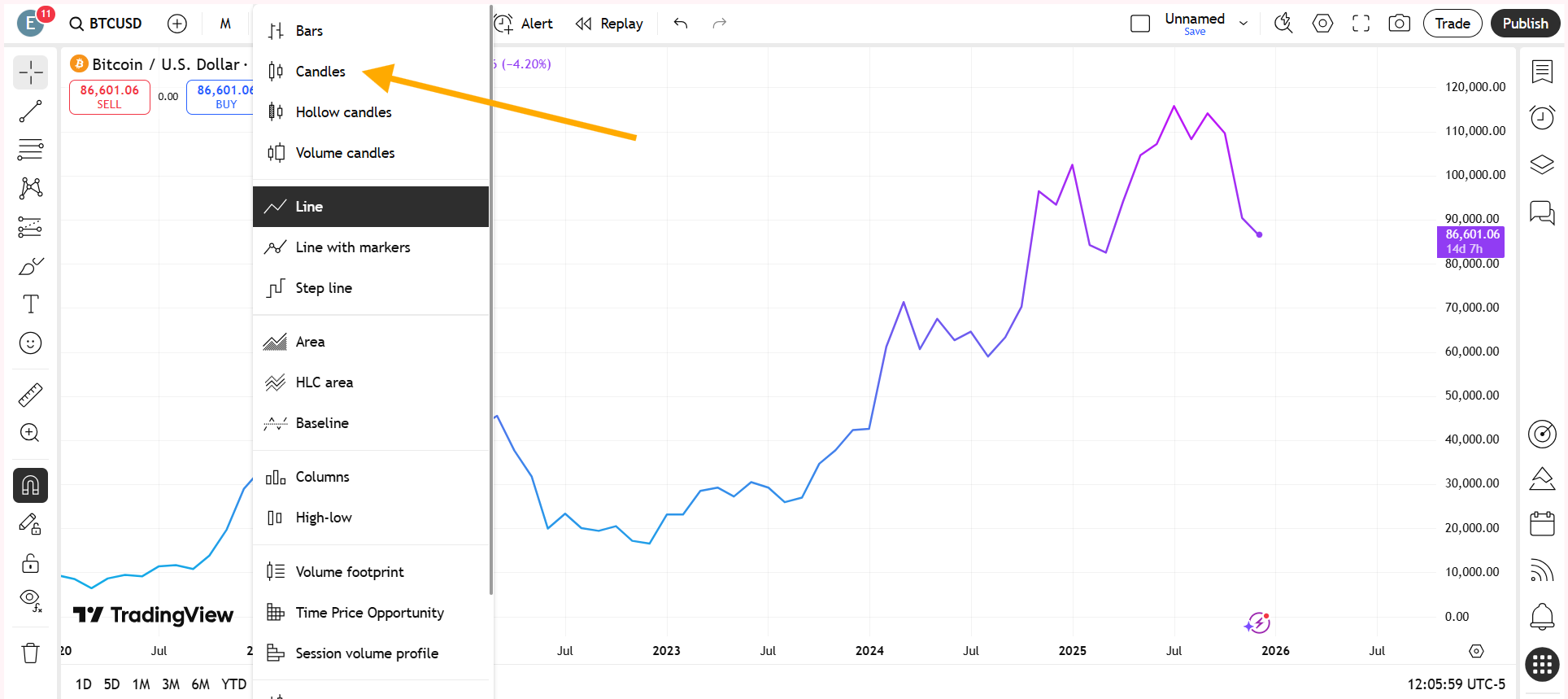
From the dropdown menu, select Candlesticks. Once selected, the chart will instantly switch from a line chart to a candlestick chart.
Chart Background and Candle Color Clash
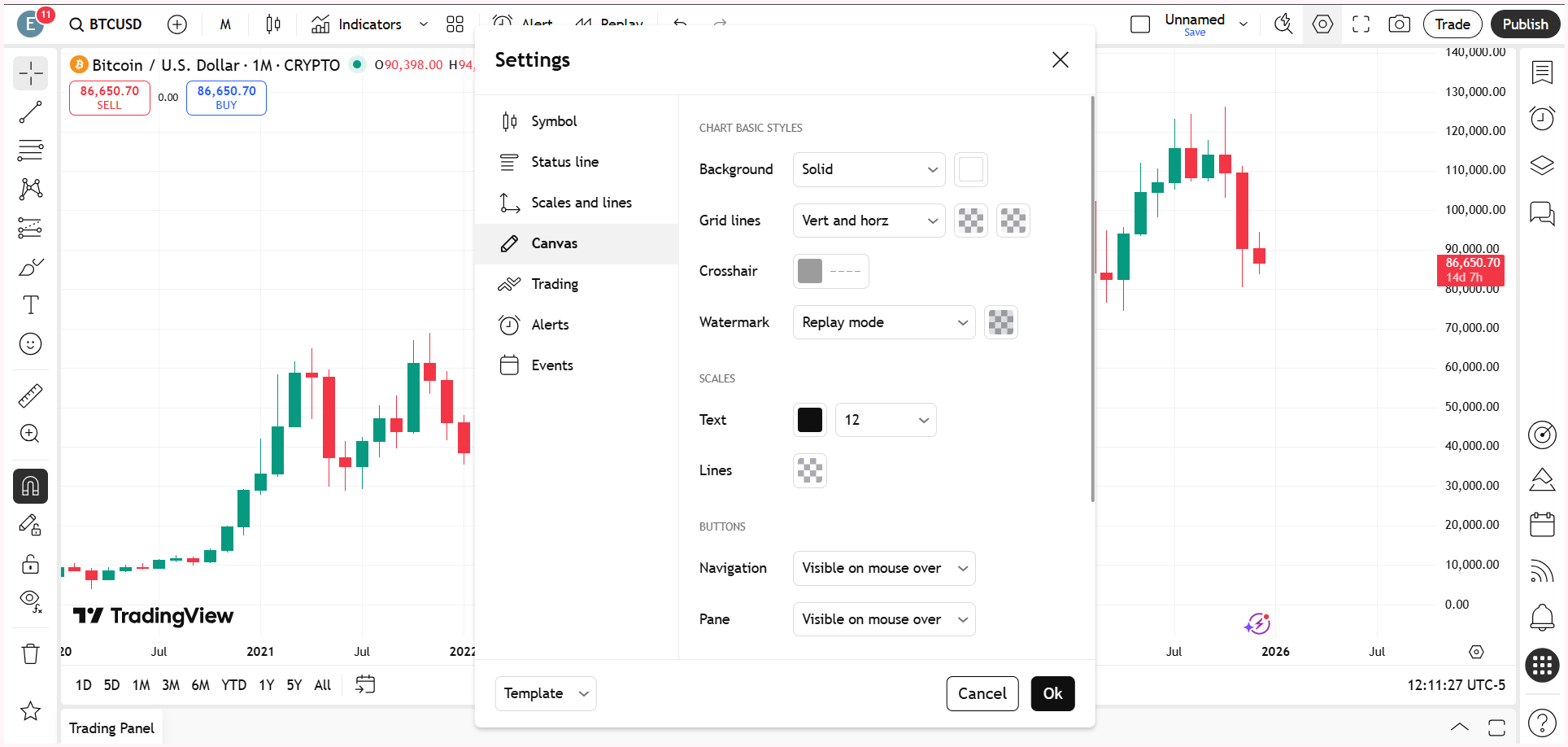
Sometimes the candles are present but completely blend into the chart background. If the candle color is identical or very close to the background color, the chart appears empty even though data is loaded.
This color clash usually occurs after applying a dark or custom theme or importing chart templates from other users.
Changing either the chart background color or the candle body and wick colors can immediately restore visibility and resolve the issue of candlesticks not showing on TradingView, without any technical troubleshooting.
Also Read – What is the difference between ICT and SMC?
Extreme Zoom Level Hiding Candlesticks
An extreme zoom-in or zoom-out level can also make candlesticks disappear on TradingView. When zoomed out too far, individual candles become too compressed to render clearly. When zoomed in too much, the chart may appear blank because the visible range contains no price data.
Resetting the chart view brings the candlesticks back into view immediately. Alternatively, you can press Alt + R.
This is one of the simplest fixes and should always be checked before assuming a chart loading problem.
Watch the full video below so you don’t miss any important steps.
This article is for informational purposes only and should not be considered financial advice. Investing in stocks, cryptocurrencies, or other assets involves risks, including the potential loss of principal. Always conduct your own research or consult a qualified financial advisor before making investment decisions. The author and publisher are not responsible for any financial losses incurred from actions based on this article. While efforts have been made to ensure accuracy, economic data and market conditions can change rapidly. The author and publisher do not guarantee the completeness or accuracy of the information and are not liable for any errors or omissions. Always verify data with primary sources before making decisions.
Why is My TradingView Chart Not Showing Anything?
When a TradingView chart is not showing, it is usually not a data or server issue. In most cases, the chart is loaded but the candlesticks are hidden due to candle style settings, an accidental chart type change, extreme zoom levels, or visibility being turned off in the object tree or data window. Checking these settings typically restores the chart instantly.
Why is My TradingView Chart Not Loading Properly?
In some cases, a TradingView chart may not load properly due to a temporary technical glitch or a short connectivity issue. This can happen because of browser cache problems, momentary internet interruptions, or brief platform-side delays. When this occurs, simply refreshing the page or reloading the chart usually resolves the issue. If the problem persists, checking your internet connection or reopening the chart in a new tab can help restore normal chart loading on TradingView.